Devices and plans
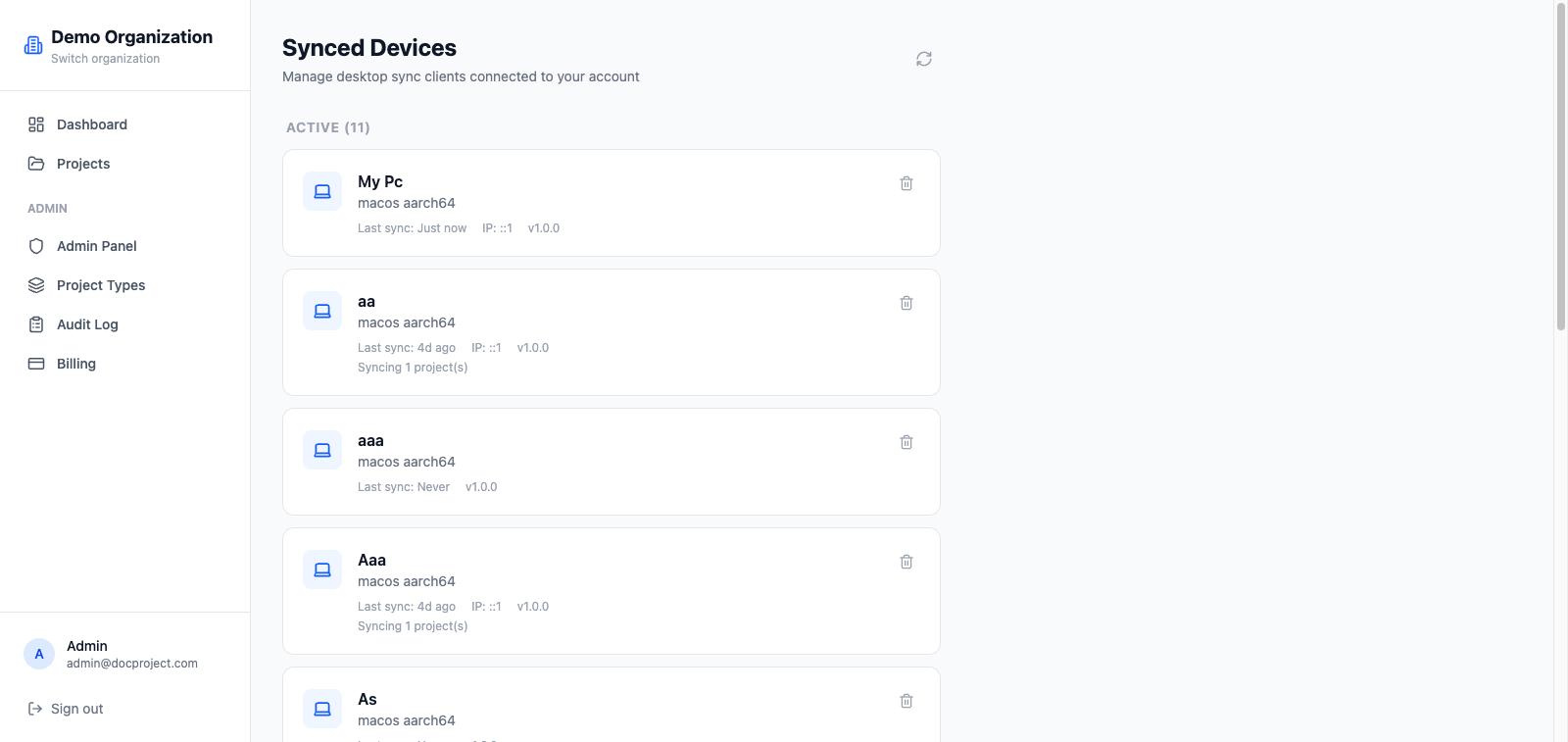
Every time you sign into the desktop app a "device" is created. You can view and revoke them from your profile on the web.
View and manage devices
The device list shows name, operating system, last sync, and status.
- 1Sign in on the web.
- 2Open your profile from the top-right menu.
- 3Select "Synced devices".
- 4To disconnect a device, click "Revoke". That device stops syncing immediately.
What happens if I hit the limit
If you try to connect a new device after reaching your plan's maximum, the app shows a clear message. You have two options:
- 1Revoke an existing device on the web to free a slot.
- 2Upgrade to Pro (3 devices) or Business (unlimited).
💡 Revoking a device invalidates its token; the desktop app will ask you to sign in again if you reconnect it.
Device limit per plan
| Plan | Synced devices |
|---|---|
| Free | 1 |
| Pro | 3 |
| Business | Unlimited |