Permissions
Foliato lets you control access at three levels: project, folder and document. Rules are inherited downwards but can be overridden.
Permission levels
Each rule grants one of four levels:
- 1VIEW: preview only, no download or change.
- 2DOWNLOAD: preview and download, but no changes.
- 3EDIT: upload, rename, move and delete.
- 4FULL: everything plus changing the access rules themselves.
Who gets access
A rule can target a specific user, a custom role, or the entire organization. Multiple rules can apply; the most permissive wins.
Manage access on a project
- 1Open the project.
- 2Click the lock icon or "Access" in the toolbar.
- 3Add users or roles, pick a level, and save.
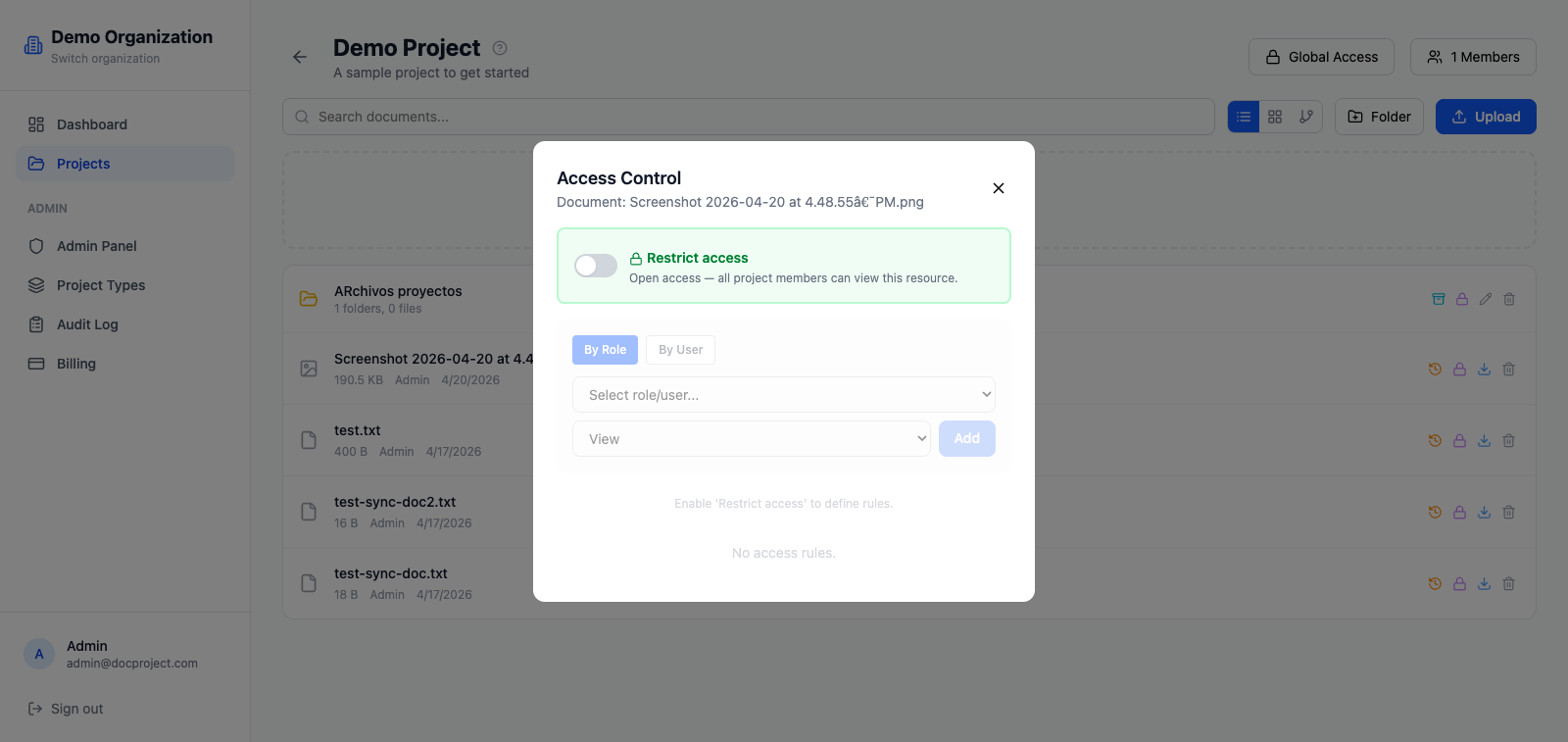
Manage access on a folder or document
Folder and document rules override inherited rules from their parents. Use them to make a sensitive subfolder read-only even if the project is writable.
- 1Right-click a folder or document.
- 2Select "Access...".
- 3Add specific users or roles, pick the level, and save.
💡 Use folder-level overrides sparingly; too many exceptions are hard to audit.